- Tinderbox 4
- maps
- outlines
- agents and rules
- email and Twitter
- tasks and todos
Tinderbox 4: See the outline
Tinderbox 4 outlines remain fast and easy to use, but add many new ways to let Tinderbox assist you better by showing you more. Every aspect of the outline can be styled by hand or automatically responding to your changing notes and your dynamic needs.
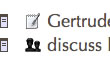 An iconic badge can flag notable items. Instead of being limited to one or two flags, you can choose from 49 useful badges. Need more? You can add your own. Or let Tinderbox agents set your badges automatically adding the calendar badge to notes with dates in the future, or mail badges to notes with email addresses.
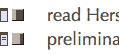 The new bar and vbar patterns let Tinderbox show you progress measures for ongoing tasks. Again, you can set these manually, or arrange for Tinderbox to update the progress bars automatically.
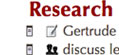 Tinderbox makes it easier than ever to change styles, and colors to help you distinguish critical notes at a glance. But Tinderbox rules, agents, and inheritance save you from having to do it yourself. Should tasks to be big, bold and red? Set up a prototype Task the way you want it, and let Tinderbox spread the style to your other tasks.
Try Tinderbox
for Mac OS X ❧ More download options.
Buy Tinderbox
Tinderbox for you, for your team, or your enterprise. Plus upgrades, The Tinderbox Way, and more. Order here.